 Dialr
DialrSay more,
tap less.
Fast, private messaging with crystal-clear voice and video calls — plus chess and checkers right inside your chats, an Apple Watch app and native apps for Mac and Android. Built for real conversations.
A free download on every platform — the App Store for iPhone and Apple Watch, the Mac App Store for Mac, and Google Play for Android.
Messaging that keeps up
One-to-one and group chats that sync instantly across your devices — from a quick "on my way" to threads that run for days.
- Reply to any message, forward across chats, react with a tap
- Voice messages and round video notes for when typing won't do
- Typing indicators, online status and last seen
- Share photos, videos and files without losing quality

Crystal-clear calls
One-to-one voice and video calls powered by WebRTC — low-latency connections that hold up on real-world networks.
- Sharp, natural audio and smooth video
- A full call history so you never lose a number
- Take calls from your wrist on Apple Watch

Everyone, in one place
Group chats that stay in sync for everyone, instantly — plans, projects and the family thread, all kept together.
- Rich push notifications with sender name and photo
- Archive chats you don't need front and center
- Block anyone you don't want to hear from

"Where are you?" — answered with a pin
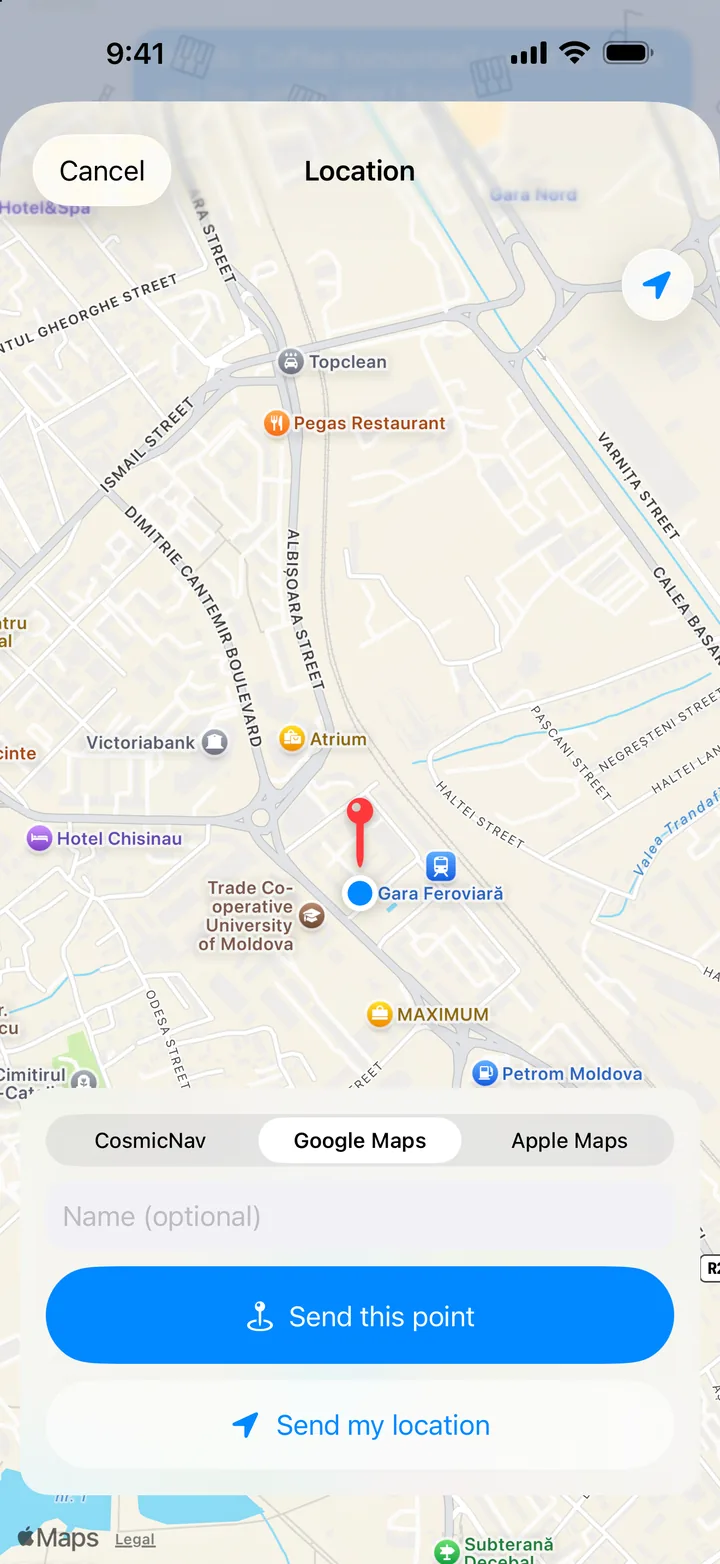
Send where you are, or drop a pin on any place, straight from the chat. The other person taps it and is on their way — in whatever maps app they already use.
- Your location in one tap, or move the map and send the point under the pin, with a name if you like
- Choose what you send: a Google Maps, Apple Maps or CosmicNav link — so it opens without installing anything
- "Directions" on any received point — even bare coordinates or a link pasted from another app
- Location is used only when you choose to send it — never tracked in the background
Chess and checkers, right in the chat
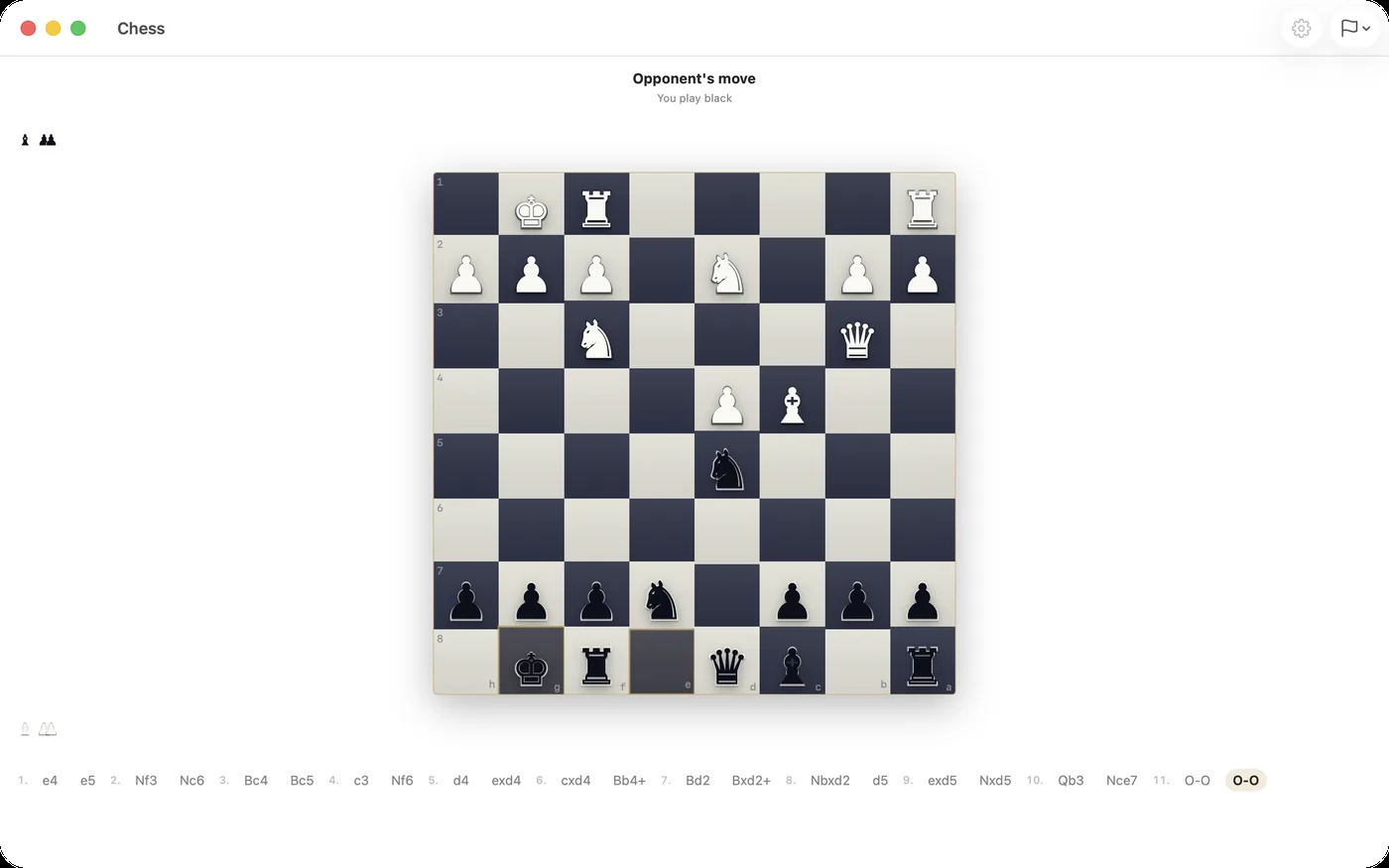
Challenge anyone you're talking to. The board opens inside the conversation and waits for your move — play a quick game or one that runs all week.
With a friend
Invite from the chat menu. Optional clock, draw by agreement, resign — and the finished game stays in your history, move by move.
Against the bot
Three levels, your choice of side. The bot thinks on the server, so your phone stays cool. Two on one device works too.
Learn and train
Openings for white and black, famous games with commentary, puzzles with a rating and a timed sprint — and an engine review of your own games, including ones imported from chess.com. Chess only, for now.
The same conversations, on a bigger screen
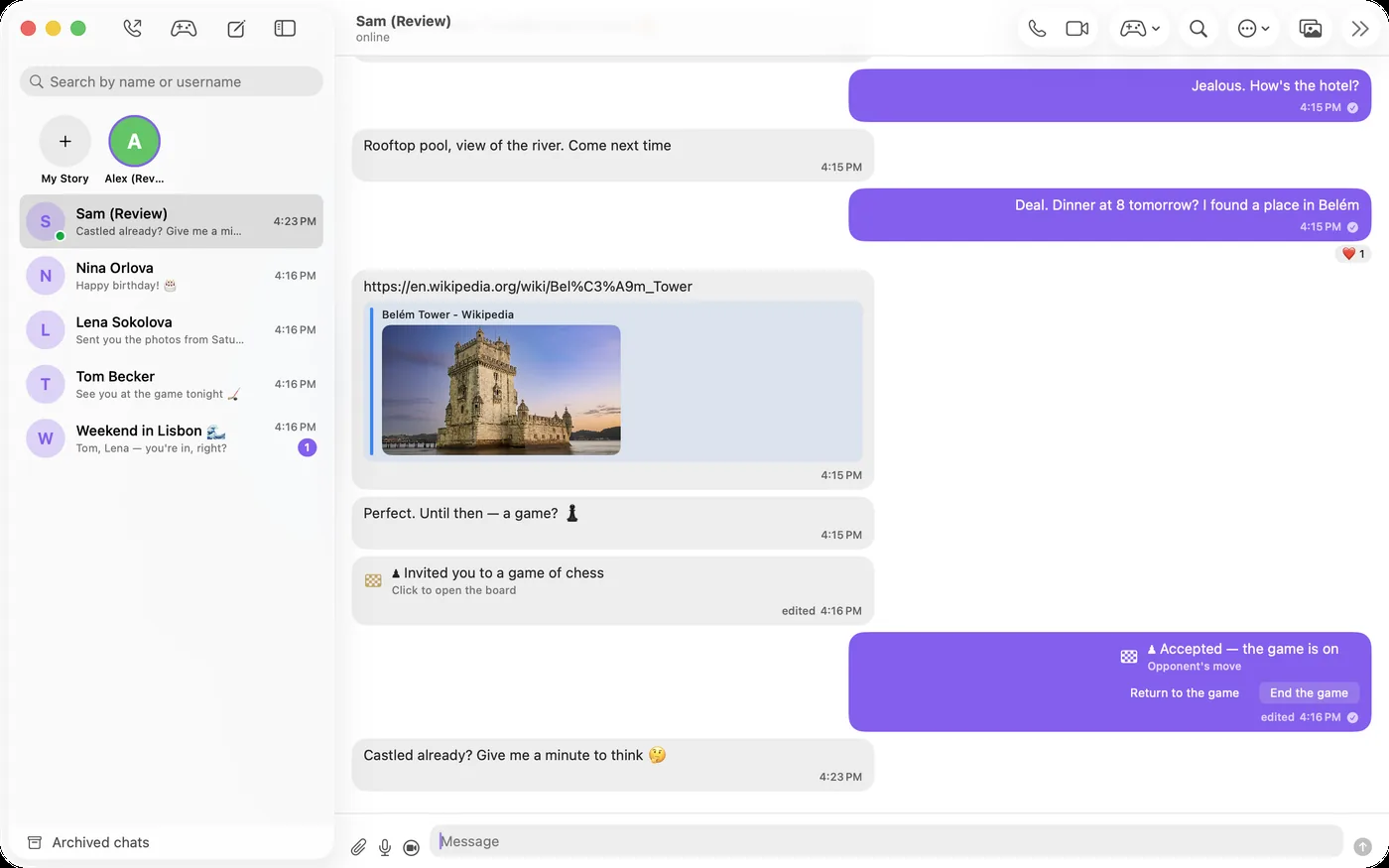
A native macOS app, now on the Mac App Store — chats in the sidebar, the conversation next to it, calls and games in their own windows. Sign in with the same number as on your iPhone and everything is already there.
- Voice and video calls — answer on the Mac or the iPhone, the other one stops ringing
- Voice messages turned into text, round video notes, link previews
- Stories, Saved Messages, archive, wallpapers and themes
- Native notifications, ⌘N for a new chat, and your saved chats open offline
Free download · macOS 15 or later
More than a chat app
Dialr follows you from your phone — iPhone or Android — to your wrist, your home screen and your Mac.
Apple Watch app
Read, reply and take calls right from your wrist.
Home-screen widget
Your latest chats at a glance, without opening the app.
Round video notes
Say it with a look — quick circular video messages.
Stories
Share moments that disappear when the day is done.
Saved Messages
Keep notes, links and files in one private place.
Archive & block
Tidy your list, and control who can reach you.
Chess & checkers
A board inside any chat — with a friend, the bot, or two on one device.
Mac & Android
Native apps on the same account — chats, calls and games. On the Mac App Store and Google Play.
Voice to text
Turn any voice message into text, recognised right on your device.
Your conversations, yours alone
Dialr is designed to feel instant, look elegant and stay out of your way — without asking for your whole life in return.
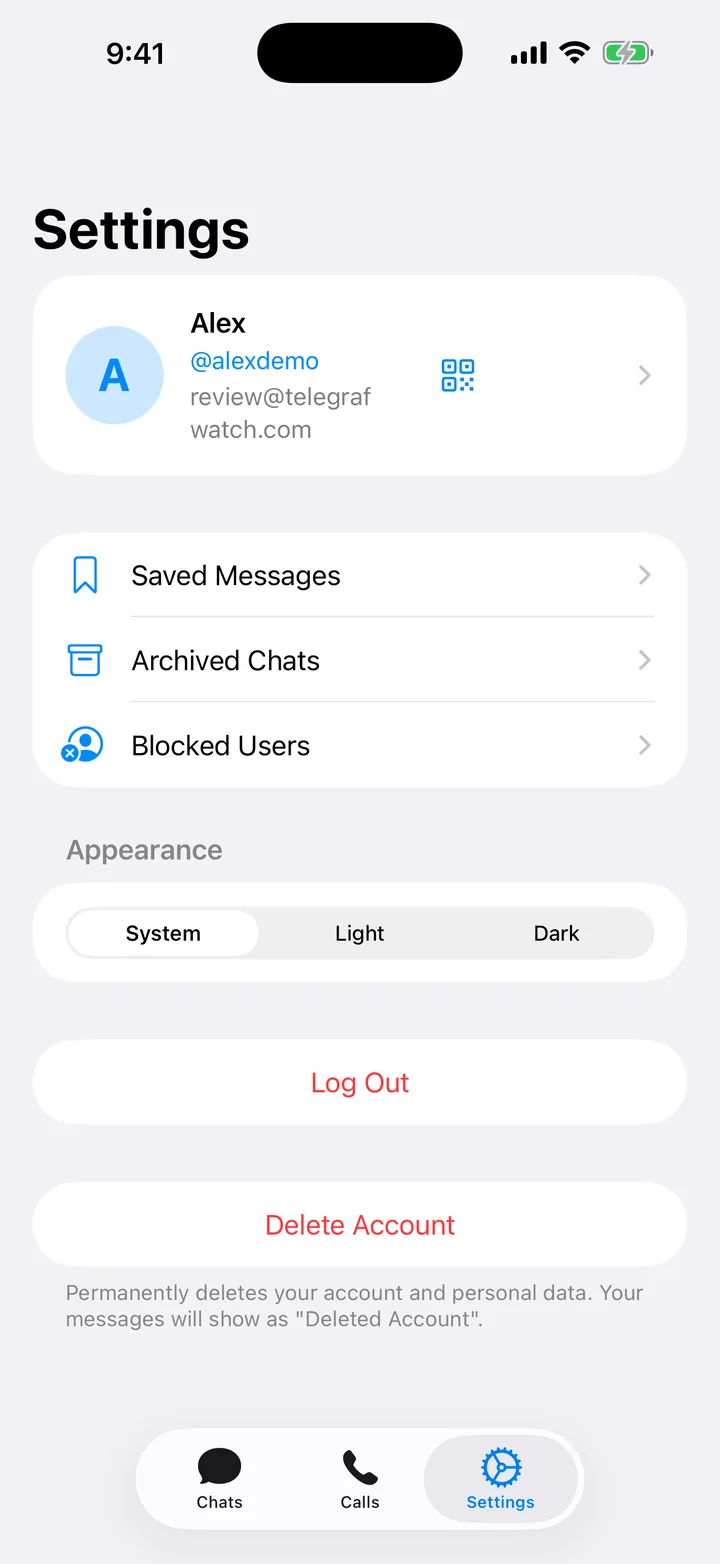
- Sign in with just your email or phone — no social account required
- You control who reaches you, with blocking built in
- Delete your account and data any time, right from the app
- A clean, distraction-free interface that puts chats first
What we do — and what we don't
The first thing anyone asks about a messenger is who can read it and where it lives. Here are the answers, including the one we'd rather not have to give.
No end-to-end encryption yet
Messages travel over TLS, so nobody on the network between you and us can read them. On our server they are stored as plain rows in a database, and we can read them. If you need mathematical certainty that nobody but the two of you can, Dialr is not that app today. We would rather say this plainly than let a padlock icon imply otherwise.
Your data lives in Germany
One server, in a Hetzner data centre in Nuremberg. Messages, media and accounts stay there. Nothing is copied to third-party analytics, ad networks or data brokers — there are none in the app.
Calls go peer-to-peer when they can
Voice and video connect directly between devices whenever the network allows. When the network doesn't allow it, the call falls back to our own relay in the same Nuremberg data centre — it forwards the stream without holding the keys to open it. Apple Watch is the exception: watch audio is routed through our server as ordinary sound, so a call taken on the watch is not private from us.
Notifications carry your text
By default, the sender's name and message text pass through Apple's and Google's push services on the way to your phone. Settings → Notifications → Hide message text keeps them out of it, at the cost of a less useful notification.
Delete means delete
Deleting your account from inside the app removes your profile, messages and media. Not hidden, not deactivated for thirty days — gone.
No tracking, no ads, no resale
We do not sell data, we do not show ads and we do not build a profile of you. The app has no analytics SDK at all.
One thing the app does send us
When the app cannot read a reply from our server, it tells us so — which request failed and what was wrong with it, plus the build number. No message text, no phone numbers, no names, and the alert does not say whose app it was. We added this after a bug hid an entire chat list in silence; we would rather find the next one ourselves than wait for someone to report it.
What's new
Releases go out often. Here is what has landed lately.
- Dialr for iPhone and Apple Watch is out on the App Store — a regular download, no TestFlight needed
- Same account on every device: sign in with your number and your chats, calls and games are already there
- Dialr for Android is out on Google Play — a regular install, no testing program needed; Android 8 or later
- Same account on every device: sign in with your number and your chats, calls and games are already there
- Send where you are, or any point on the map, from the chat — on iPhone and Android alike
- Pick the link you send: Google Maps, Apple Maps or CosmicNav, whichever the other person already has
- "Directions" on any received point, including bare coordinates and links from other apps
- Chess training: exercises from a base of 2.5 million puzzles with your own rating, a timed sprint, and "What's hanging?"
- Game review: an engine marks the mistakes in your finished games; import your recent games from chess.com by username
- Android: opening a chat right after a fresh install no longer crashes
- Dialr for Mac is out on the Mac App Store — a regular download, no TestFlight needed; macOS 15 or later
- iPhone and Apple Watch were in a free public beta on TestFlight at the time, with the App Store release in review
- Dialr for Mac: chats, groups, calls, stories and games in a native macOS app — one account with your iPhone
- Chess and checkers inside your chats: with a friend, against the bot at three levels, or two on one device
- Optional clock, draw by agreement, choose a piece when a pawn promotes, replay finished games move by move
- Chess lessons: openings for white and black, and famous games with commentary
- Game cards in the chat with their own buttons — accept, decline, return to the board, end the game
- Answering a call on one device silences the others; the caller's photo on the call screen and in the notification
- Link previews on Mac; online status arrives together with the chat list
- Notifications go to each device separately — a phone without a push token no longer mutes the others
- Android: drafts clear after sending, the call log refreshes after a call, the connection survives switching networks
- Chats now open offline — the last conversations and messages are kept on the device
- Link previews: paste a link and the page title, description and picture follow
- Select several messages at once to forward or delete them together
- Drafts survive leaving a chat; an unread divider marks where you stopped reading
- Tapping a quoted reply jumps to the original message
- Notification settings, including hiding message text from push services
- Five privacy settings the server already honoured but no screen could set
- Photos zoom, chat wallpapers can be picked on Android, dark theme no longer swallows input fields
- VoiceOver and TalkBack labels across calls, chats and stories
Start talking.
Download Dialr and bring your conversations, calls and everything in between into one fast, private app.
iPhone and Apple Watch: on the App Store. Mac: on the Mac App Store. Android: on Google Play. Free on every platform.